

Well Lifecycle Data Management & Reporting from Spud to Plug
Featuring powerful AI capabilities, W Energy WellWork captures daily field costs, operational activity, and downhole data in one place. Connects to W Energy AFE Workflow for daily budget vs. actual visibility, helping teams identify potential overruns while work is underway.
Part of the WorkStream suite. Available as an independent module.

Explore how W Energy connects daily field reporting, project costs, and well history to help teams manage execution with greater visibility.
Connect Field Execution to Project Performance
WellWork captures project activity across drilling, completions, workovers, recompletions, and facilities. Track daily time and costs, record operational events, and maintain downhole data directly from the wellsite.
Give engineering, operations, and finance a shared view of work as it happens. With field costs tied to approved AFE budgets, teams can identify spending issues sooner and act before they become larger problems.

Bring historical downhole data into one location so engineers can review prior activity before a workover or recompletion. Keep bottomhole assembly runs, downhole strings, surveys, frac stages, and perforation records alongside project execution data.
Spend less time retrieving information from disconnected systems and more time understanding the well’s history before the next job.
Visualize everything on an interactive wellbore schematic.

Capture vendor invoices at the wellsite the day costs are incurred and track them against approved budgets through AFE Workflow. Close the visibility gap while invoices move through accounting, giving teams earlier insight into project spending.
Daily budget vs. actual visibility helps field supervisors and office teams assess costs together and respond to emerging overruns.

WellWork’s integrated AI helps teams identify unusual costs and operational activity, recognize patterns in non-productive time, and turn daily field data into useful reports.
Ask questions about project performance in plain language, get suggested data entries informed by historical well patterns, and generate daily report summaries. Consolidate information across WellWork and AFE Workflow, with AI assistance to perform tasks on your behalf.
Put AI to work where you already work.
Trusted by Leading Energy Companies
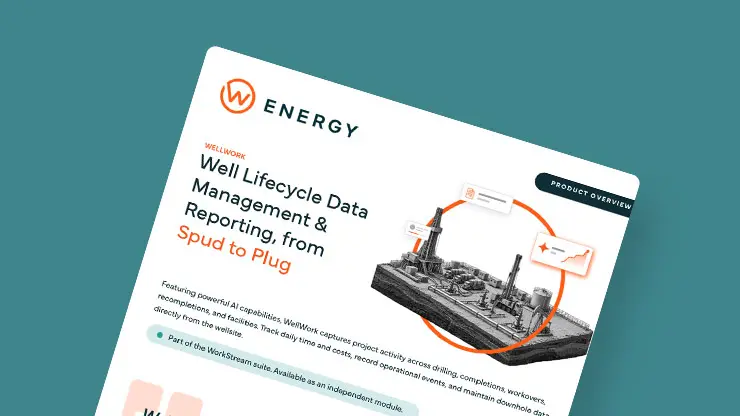
Product Overview: WellWork
Explore daily field cost tracking, operational reporting, downhole data management, and AI features.
We’re early in using WellWork, but having field costs available the same day is already changing the conversation. Our supervisors can see how spending compares with the approved AFE, engineering has the operating details in one place, and finance gets visibility before invoices finish moving through accounting. We’re spending less time chasing information and catching problems sooner.
Well Activity & Field Cost Tracking, Simplified
Keep field activity, project costs, and well history together so your teams can make informed decisions as work unfolds.
Wellbore Data + Visualization
- Bottomhole assembly runs and downhole strings
- Directional surveys and historical well data
- Frac stages and perforation records
- Consolidated history for workovers and recompletions
Daily Execution
- Daily drilling, completion, and workover activity
- Granular time tracking by project
- Operational event capture at the wellsite
- Shared visibility into project progress
Cost Visibility
- Same-day capture of field costs and vendor invoices
- Approved AFE budget connection through AFE Workflow
- Daily budget vs. actual visibility
- Vendor cost tracking and project cost reporting
Reporting & Performance
- Daily drilling report generation
- Non-productive time tracking
- Standard and configurable operational reports
- Custom templates and fields by project type
Integration
- Field execution linked to AFE Workflow budgets
- Shared well data across WorkStream modules
- Connected operational and capital reporting
- Complements existing well systems of record
AI & BI
- Ask questions about your projects in plain language
- Summarize daily reports and identify NPT patterns with AI
- Analyze project data in your preferred BI tools through DataView
- Connect your preferred AI tools to project data through MCP
What types of projects does WellWork support? WellWork supports drilling, completions, workovers, recompletions, facilities, and midstream projects. Configurable templates let teams capture the information relevant to each type of work, from detailed downhole activity to daily time and costs.
How does WellWork improve field spending visibility? Field personnel can log vendor invoices at the wellsite the day costs are incurred. When connected to AFE Workflow, those costs are tracked against the approved AFE budget, giving teams visibility into spending before invoices finish moving through accounting.
Can WellWork be configured to fit our reporting requirements? Yes. Templates and fields can be tailored to your organization and project types. WellWork includes standard reports and supports configurable reporting, including vendor cost tracking and daily operational reports.
How does WellWork help with workovers and recompletions? WellWork consolidates historical downhole and project data so engineers can review previous activity in one location. This reduces the effort of retrieving records across disconnected systems before a workover or recompletion.
What can WellWork’s AI help us do? Integrated AI supports plain-language questions, suggested data entries, daily report summaries, and identification of unusual costs or operational activity. It also helps teams recognize patterns in non-productive time and consolidate information across WellWork and AFE Workflow.
Do we need the entire WorkStream suite to use WellWork? No. WellWork can operate independently. It also fits within the broader WorkStream suite, allowing teams to connect field execution with capital governance and other modules through a shared data model.
Can WellWork work alongside our existing well data system? Yes. WellWork can coexist with an existing system of record, such as WellView. Teams can begin with field cost capture and expand their use to include downhole data and other operational reporting.