

Connect Capital Approvals to Project Spending
Featuring powerful AI capabilities, W Energy AFE Workflow enables oil & gas teams to create, route, and approve AFEs with configurable financial controls. Seamlessly connects to W Energy WellWork for daily budget vs. actual visibility and W Energy Accounting to keep field operations and finance aligned.
Part of the WorkStream suite. Available as an independent module.

See how W Energy simplifies capital requests, approval routing, and project budget tracking.
Connect Your Field to Finance with Integrated Capital Governance
AFE Workflow captures and tracks capital requests across drilling, completions, workovers, recompletions, and facilities. Create AFEs on the web, review and approve them through a mobile app, and monitor approval status and budgets across your AFE pipeline.
Configurable workflows align requests with your organization’s financial controls. Works in concert with W Energy Accounting to synchronize approved AFEs with financial processes, while integration with W Energy WellWork brings daily field costs into view against approved budgets.

Build AFE templates around your business processes, with fields, sections, and approval flows tailored to each project type. Establish authority limits by user and AFE type, route requests by dollar threshold, and require escalation when an AFE exceeds an approver’s authority.
Organize multi-well pad projects with parent-child AFEs and link supplemental AFEs to the original authorization when additional funding is needed.

Coordinate input from planning, land administration, geology, reserves, completions, facilities, and finance. Pre-approval routing lets designated reviewers provide comments and supporting information before an AFE enters the formal approval chain.
Keep surveys, supporting documents, and project information with the request. Route partner elections and track their status, with working-interest percentages drawn from division order data.
Keep Approvals Moving.

AFE Workflow’s integrated AI helps teams spot budget variances, anticipate cost overruns, and benchmark costs against comparable wells.
Get suggested AFE adjustments informed by historical well data, consolidate information across AFE Workflow and WellWork, and generate reports.
Put AI to work where you already work.
Trusted by Leading Energy Companies


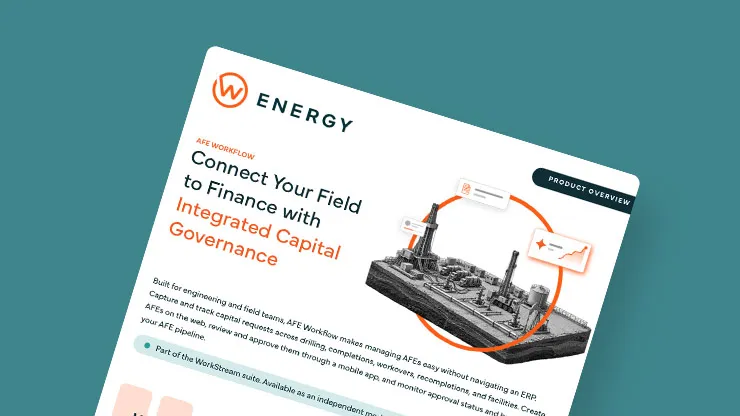
Product Overview: AFE Workflow
Explore configurable approvals, capital controls, and the connection between AFE budgets and project execution.
We’ve only been using AFE Workflow for a short time, but the impact is already clear. Our team spends less time chasing approvals, field teams can see where they stand against the budget, and accounting has better visibility into what’s happening on the project. We’re catching issues earlier and spending less time piecing the story together across departments.
AFE Management, Perfected
Manage capital requests with the controls and visibility your teams need.
Collaboration
- Simplified AFE drafting
- Pre-approval review and comments
- Supporting documents attached throughout routing
- Partner election routing and status tracking
AFE Structure
- Configurable templates by company and project type
- Parent-child AFEs for multi-well projects
- Supplemental AFEs linked to original authorizations
- Standardized project information and cost coding
Approvals & Accountability
- Rules-based approval routing
- Dollar-threshold escalation
- Authority limits by user and AFE type
- Email notifications and mobile approvals
Budget Visibility
- Portfolio views of AFE status, commitments, and spend
- Budget vs. actual tracking
- Visibility into projects approaching budget limits
- Built-in analytics and reporting dashboards
Integration
- Approved AFE synchronization with W Energy Accounting
- Daily field cost tracking through W Energy WellWork
- Connections to economics and reserves systems
- Connections to well, facility, and document management systems
AI & BI
- Ask questions about your AFEs in plain language
- Anticipate overruns and benchmark well costs with AI
- Analyze AFE data in your preferred BI tools through DataView
- Connect your preferred AI tools to AFE data through MCP
Is AFE Workflow specific to upstream energy companies? AFE Workflow supports capital projects across upstream and midstream operations, including drilling, completions, workovers, and facilities. Configurable templates and approval workflows accommodate different project types and organizational requirements.
Can the solution be configured to fit our workflows and processes? Yes. Configure fields, sections, templates, and approval flows by company and project type. Authority limits and dollar-based routing help align each request with your financial controls.
How does W Energy help with capital tracking? AFE Workflow provides visibility into AFE status, commitments, and spend. When connected to WellWork, daily field costs are tracked against approved AFE budgets, helping teams identify potential overruns sooner. W Energy Accounting integration connects approved AFEs with financial processes.
Can W Energy handle parent-child AFEs? Yes. Parent-child AFEs let you organize related capital requests, such as a multi-well pad with a parent AFE and individual child AFEs for each well. Supplemental AFEs can also be linked to an original authorization when additional funding is required.
Do we need the entire WorkStream suite to use AFE Workflow? No. AFE Workflow can operate independently. It also fits within the broader WorkStream suite, allowing teams to connect capital governance with other modules.
How does AFE Workflow connect with W WellWork? AFE Workflow manages the capital request and approval process. WellWork captures field activity and daily project costs against the approved budget, helping teams monitor budget vs. actual spending as work progresses.
Does AFE Workflow collect partner signatures? AFE Workflow supports partner election routing and tracks election status. Signature collection remains with your established process, such as Docusign or a physical process managed by Land.